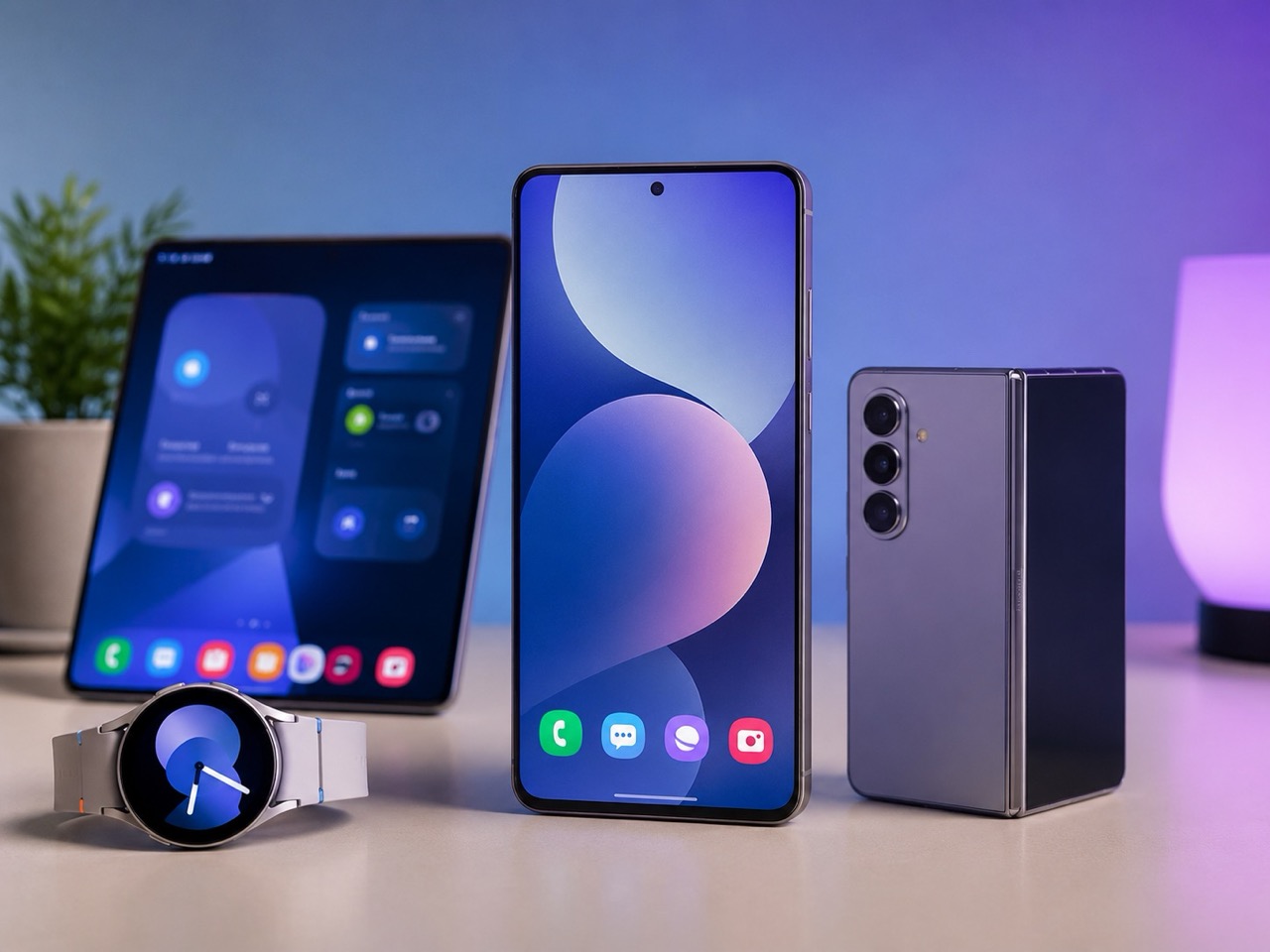
Samsung’s One UI 9 beta rollout gives selected Galaxy owners early access to Android 17, new AI tools, design changes and security updates. The programme launched with the Galaxy S26 series in May 2026, but access depends on your country, carrier firmware, model and Samsung account.
Samsung has since begun the wider One UI 9 release with the Galaxy Z Fold8 Ultra, Galaxy Z Fold8 and Galaxy Z Flip8. The beta and stable versions are separate builds, so a phone that receives the final update may never have qualified for testing.
One UI 9 Beta Rollout Status and Availability
Confirmed launch details and rollout phases
Samsung announced the One UI 9 beta programme on 12 May 2026. The official Samsung Newsroom announcement confirmed that the test build is based on Android 17 and began with the Galaxy S26 series.

Samsung Galaxy S26 5G (Black, 12GB RAM, 256GB Storage), AI Phone, Photo Assist, Creative Studio, 50MP Camera, and 4300mAh Battery
The beta opened in selected markets: Germany, India, South Korea, Poland, the UK and the US. Samsung used the Samsung Members app for registration, with availability starting in phases rather than appearing for every user at once.
Samsung’s current One UI 9 product page says the final version first appeared on the Galaxy Z Fold 8 Ultra, Z Fold 8 and Z Flip 8. It will then expand to other Galaxy devices. This means the S26 beta was an early test programme, while the stable rollout now follows Samsung’s product release plan.
Why region and carrier affect access
Two owners with the same Galaxy model may see different software offers. Samsung Members registration can vary by country, carrier software, account region and the installed firmware version.
Unlocked phones may receive a beta notice when a carrier-branded model does not. A device imported from another market may also fail the programme checks, even if its hardware matches a supported model.
Check Samsung Members on the phone itself. The app is the final check for local eligibility, not an unofficial device list or a social media post.
What beta software means for daily use
A beta build is test software. It may contain bugs, unfinished functions, poor battery life, app crashes or changes that never reach the final release.
Samsung says beta participants help test performance, stability and usability. The company may also collect error reports and diagnostic logs when users submit feedback. Features shown in a beta can be changed, limited or removed before launch.
Galaxy Devices Expected to Support One UI 9
Confirmed beta devices
Samsung has officially confirmed the Galaxy S26 series for the One UI 9 beta. It has not confirmed a wider beta list for Galaxy A phones, Galaxy tablets or older Galaxy S and Z models through the launch announcement.
The full One UI 9 release has first appeared on the Galaxy Z Fold8 Ultra, Z Fold8 and Z Flip8. These are stable-release devices, not proof that they joined the S26 beta.

Samsung Galaxy Z Flip8 AI Smartphone, 256 GB Storage, Graphite | Android Smartphone, Hands-free selfie camera, 12 GB memory, 4300 mAh battery, FlexWindow, 3...
Beta access is different from update eligibility
A Galaxy phone can qualify for the final One UI 9 update without joining the beta. Samsung’s long software support promises also do not guarantee beta access.
Hardware generation, launch date, regional firmware and carrier approval all affect the stable update schedule. Samsung’s product page says the update will expand to more Galaxy devices, but it does not provide a complete global model list.
How to check your phone
Install the latest Samsung Members app from the Galaxy Store or Google Play. Sign in with the Samsung account linked to your phone, then check the home banner, Notices or Beta Card.
Confirm the model number, country, carrier and current software version before registering. You should also have enough free storage, a recent backup and a charged battery. If no official One UI 9 notice appears, your phone or region is not currently included.
One UI 9 Features Worth Watching
Interface and customisation changes
The beta adds a more flexible Quick Panel. Brightness, sound and the media player can be adjusted separately, with more size and layout options.
Samsung also highlights improved layouts, navigation bars and menus in the final One UI 9 experience. On supported foldables, FlexWindow widgets, apps and Quick Panel controls can be edited from the cover screen. DeX also gains additional window snap options.
AI, performance and security updates
Samsung has confirmed new AI features such as Now Nudge, My FanCam, Photo Assist and a more personal Now Brief. Now Nudge can suggest actions based on what appears on screen, while My FanCam can centre a selected person in recorded video.
The beta also adds stronger protection against suspicious apps. Samsung says the system can warn about high-risk apps, block installation or execution, and recommend removal. AI features depend on the model, language, region, network connection and Samsung account.
Accessibility gains include adjustable Mouse Key speed, combined TalkBack features and Text Spotlight for clearer reading. Samsung does not promise the same performance or battery life on every device, especially during beta testing.
Samsung apps and connected devices
Samsung Notes gains decorative tapes and more pen styles. Contacts can open Creative Studio to create personalised profile cards, though Creative Studio requires a separate app and Samsung account.
Update Samsung Health, Galaxy Wearable, SmartThings, Samsung DeX, Galaxy Buds and watch apps after installing a beta. Companion apps may need their own updates, and a test build can affect essential accessories or work routines.
How to Join the One UI 9 Beta Safely
Register through Samsung Members
Samsung’s One UI Beta Programme instructions use this path:
- Open Samsung Members and sign in.
- Select the official Beta Programme banner or Beta Card.
- Read the terms and submit your registration.
- Open Settings > Software update > Download and install.
- Download the beta only when Samsung offers it for your device.
Registration does not guarantee instant access. Samsung rolls beta updates out gradually, even among approved participants.
Back up before installing
Use Smart Switch on a computer, Samsung Cloud, Google One or another trusted backup service. Save photos, videos, contacts, messages, files, authentication codes and recovery details before changing the operating system.
Connect to stable Wi-Fi, charge the phone and update all apps first. Check that banking, payment, work, travel and health apps can tolerate test software. A beta phone should not be your only route to essential services.
When waiting is safer
Wait for the stable release if your phone handles work calls, payments, medical tracking, navigation or travel bookings. Waiting is also sensible if you have no recent backup or no way to recover the phone.
Samsung’s developer guidance warns that beta software may cause data loss and unexpected behaviour. Treat the programme as a test environment, not a routine system upgrade.
Common Problems and Recovery Options
Bugs and feedback reports
Early Android builds can affect system apps, cameras, biometrics, mobile data, Bluetooth or third-party apps. A problem reported by one user is not proof of a fault on every device.
When an issue occurs, record the model, build number, steps to reproduce, screenshots and time of failure. Samsung asks users to submit error reports through Samsung Members soon after the problem, while the app is still open, so relevant logs can be attached.
Returning to stable software
To leave the programme, withdraw through Samsung Members. Samsung’s official process uses Smart Switch PC to roll back to the previous approved release.
Rollback resets the phone and removes data created during beta testing. Make a complete backup before selecting Downgrade. Avoid unofficial firmware tools, modified files and unknown installation guides.
One UI 9 Beta Versus the Stable Release
Benefits and risks
The beta offers early access to Samsung’s new interface, creative tools, accessibility functions and security controls. It also lets users send feedback before the final software reaches more devices.
The cost is possible instability, app incompatibility and data loss. Some features may work only on newer hardware, while the final release may differ from the beta. Stable software is the better choice for a primary phone.
Tracking the rollout
Monitor Samsung Newsroom, Samsung Members, regional support pages and the official One UI page. Compare your build number, Android version and security patch date with Samsung’s release notes.
A monthly security update is not the same as a major One UI upgrade. Check the exact model and region before assuming a feature or update applies to your phone.
Conclusion: What Galaxy Users Should Know Before the One UI 9 Beta Rollout
The One UI 9 beta rollout began with the Galaxy S26 series in six selected markets, while Samsung’s stable release first appeared on the Galaxy Z Fold8 Ultra, Z Fold8 and Z Flip8. Wider access depends on model, region, carrier firmware and rollout stage.
Check Samsung Members, back up your data and install only through official channels. Join the beta if you can accept bugs and restore the phone if needed. Otherwise, wait for the stable update and track Samsung’s release notices instead of relying on rumours or unofficial firmware.