What This Launch Means
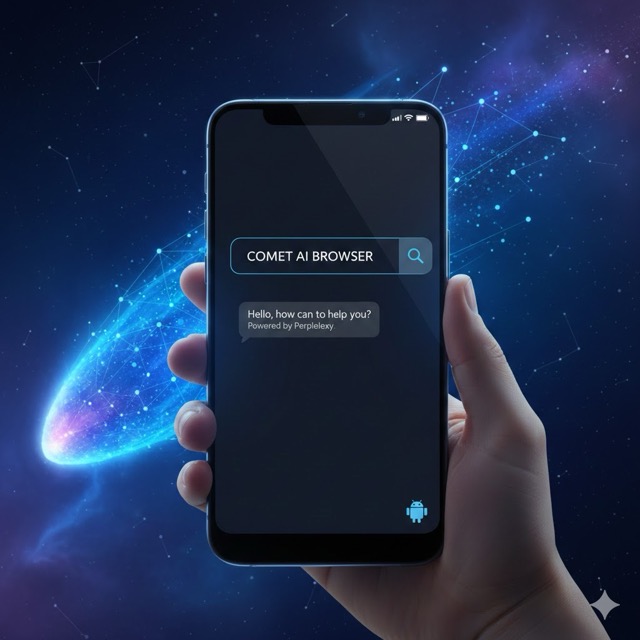
Perplexity has officially launched its Comet AI browser on Android, bringing its AI-powered browsing experience to mobile devices. Unlike traditional browsers, Comet isn’t just a window to the web—it’s an active assistant that helps you navigate, summarise, and interact with content in real time. For Android users, this marks an exciting step in making AI-driven browsing accessible on the go.
The launch arrives amid growing interest in AI-enhanced tools that streamline digital workflows. With Comet, Perplexity emphasises deep AI integration, meaning users can ask questions, request summaries, or perform tasks without leaving the browser interface. This approach positions Comet as more than a web browser—it’s a productivity and research companion for tech-savvy mobile users.
Comet AI Browser: Key Features on Android
The Android version of Comet comes with a suite of features designed for speed, convenience, and intelligence. One standout is the AI assistant, which allows both text and voice interactions. Whether you’re looking to summarize an article, search for specific information, or perform basic browsing actions, the assistant responds instantly and efficiently.
Another notable feature is tab summarisation. Managing multiple tabs can be overwhelming, but Comet provides concise overviews of each open page, helping users digest information faster. The browser also includes a built-in ad blocker, offering an uncluttered browsing experience without the need for third-party extensions. These features are built into the browser itself, ensuring smooth integration with the AI assistant for real-time analysis.
How Comet’s AI Assistant Enhances Browsing
Comet’s AI assistant is designed to do more than answer queries—it actively improves browsing efficiency. It can analyze web pages on the fly, summarize content, highlight key points, or compare product options. This makes it particularly useful for research, online shopping, and information-heavy tasks.
Voice mode further enhances usability, allowing users to perform hands-free actions. Commands like “Summarise this article” or “Find the top-rated product here” yield immediate results. By combining AI-driven insights with intuitive interactions, Comet positions itself as a next-generation browser, where the AI doesn’t just assist—it acts as a digital companion.
Limitations and Current Gaps
While the Comet AI browser is innovative, it has some current limitations. Features like cross-device syncing for bookmarks, history, and preferences are not yet available. Users must manage mobile activity separately from their desktop sessions.
Additionally, the password manager functionality is limited, requiring Android’s native system or third-party apps for secure credential storage. Finally, the AI-driven analysis can occasionally slow browsing performance, especially on lower-end devices. Perplexity has indicated that improvements and new features are planned for upcoming updates.
Comparing Comet AI With Other Mobile Browsers
Comet differentiates itself from popular browsers like Chrome, Firefox, and Edge by making AI the core of its experience rather than an add-on. While traditional browsers focus on speed, compatibility, and extensions, Comet prioritizes intelligence and assistance, offering real-time content analysis and actionable insights.
However, for users who prioritise simple browsing speed or offline performance, Comet may feel slightly heavier. Its niche appeal is strongest among tech-savvy users and those who want an interactive assistant built directly into their browser.
Future Updates and iOS Version Plans
Perplexity has confirmed that an iOS version of Comet is in development. While no official release date is available, Android adoption will likely influence how features are optimized for Apple devices. Upcoming updates are also expected to include improved syncing, password management, and performance enhancements.
These future improvements will help Comet compete with established browsers while maintaining its unique AI-first approach. By continuously evolving, it aims to redefine how users interact with content on mobile devices.
What This Means for Mobile Browsing Trends
Comet’s Android launch signals a broader trend in mobile browsing: the integration of AI as a central component, rather than a supplementary tool. Users increasingly expect intelligent assistants that can perform tasks, summarise content, and enhance productivity without leaving the browsing environment.
This trend aligns with growing demand for personalised digital experiences, where AI acts as both a filter and an assistant. Comet’s mobile release may influence how other browsers adopt AI, setting a precedent for the next generation of intelligent, context-aware mobile browsing.
Conclusion—Should You Try Comet AI on Android?
For tech enthusiasts and productivity-focused users, Comet AI represents a significant leap forward in mobile browsing. Its deep AI integration, tab summarization, and voice-driven commands offer a browsing experience that’s both efficient and interactive. While some limitations remain, the browser’s unique capabilities make it a compelling option for those willing to explore AI-assisted web navigation.
Whether you’re researching, shopping, or just browsing casually, Comet provides an AI companion that learns and adapts with every interaction. The Android launch opens the door for a more intelligent and productive mobile browsing experience—and sets the stage for further innovation in AI-first web tools.