
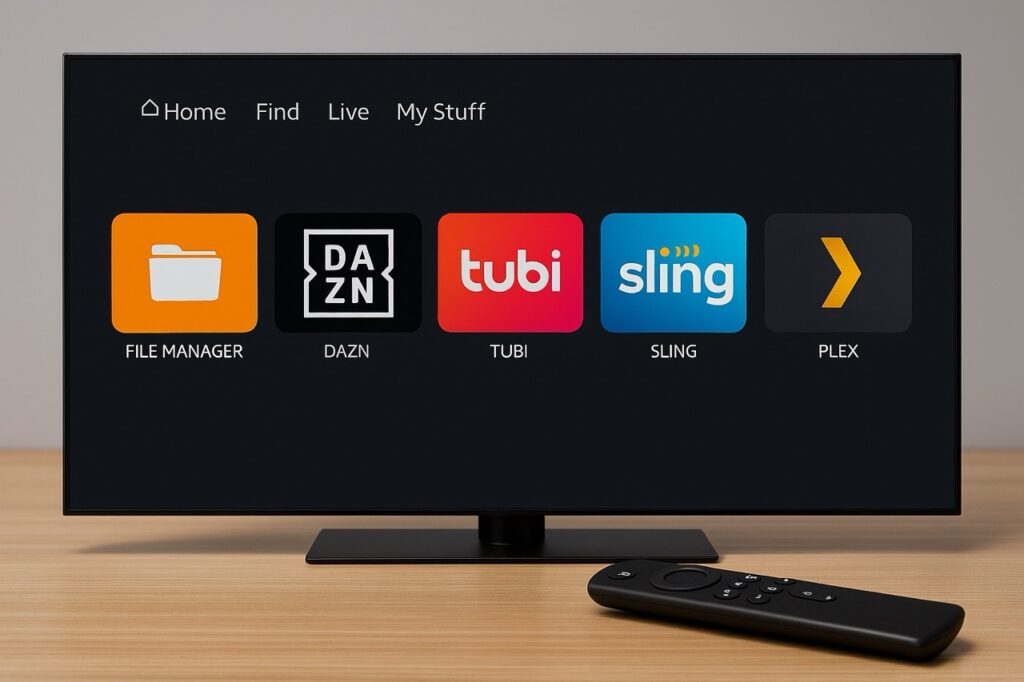
Over the past few days, “Downloader app suspended on Amazon” has surged as a trending search topic, sparking confusion and concern among millions of Fire TV and Fire Tablet users. The sudden disappearance of the popular Downloader app from the Amazon Appstore left many users wondering whether the app had been permanently banned, whether their devices were at risk, and what they should do next.
The good news is that this suspension appears to be temporary — but it carries important lessons about app platforms, policy enforcement, and user safety.
Is the Downloader app suspended on Amazon?
Yes. The Downloader app is currently unavailable on Amazon’s Appstore due to a temporary policy review following a recent update. Existing installations still function, and its return is expected once the review is completed.
What Is the Downloader App and Why Is It So Popular?
The Downloader app, developed by Elias Saba (also known for AFTVnews), has been available for nearly a decade and is widely used on Amazon Fire TV and Fire Tablet devices. It allows users to enter a web address or short code to download files or install apps not listed in the Amazon Appstore, a process commonly known as sideloading.
Crucially, Downloader itself does not host or provide content. It functions as a neutral utility tool, often used for legitimate purposes such as installing region‑locked apps, media players, or development tools.
That utility has made it one of the most downloaded non‑streaming apps on Fire TV — which is exactly why its sudden removal caused alarm.


Why Did Amazon Suspend the Downloader App?
According to multiple reports and statements from the developer, the suspension was triggered by a recent version update (version 2.0). This update changed how the app identified itself in Amazon’s system, causing it to be registered as a full web browser.
Amazon does not allow third‑party browser apps on Fire TV and Fire Tablet devices. Once the updated Downloader version appeared to violate that rule, Amazon’s automated policy enforcement systems placed a temporary suspension on the app listing.
Importantly:
- There is no evidence of malicious behaviour
- The app was not banned for piracy
- The issue was tied to policy classification, not functionality



Is the Suspension Permanent?
At the time of writing, all signs point to no.
The developer confirmed that:
Key warnings issued by the original developer:
- The update removes the browser registration flag
- A corrected update (version 2.0.2) has already been submitted
- Amazon typically requires several days for review and reinstatement
This aligns with Amazon’s past handling of similar situations, including Downloader’s previous temporary removal from Google Play in 2023, after which it was reinstated once compliance issues were resolved.
The Bigger Risk: Copycat and Scam Apps
While the suspension itself may be temporary, a more immediate danger has emerged: copycat “Downloader” apps appearing in search results.
Several reports confirm the appearance of fake apps using similar names, icons, and descriptions — some charging weekly subscription fees for basic download functions.
- Do not install apps named “Downloader for Fire Browser”
- Legitimate Downloader has never charged a weekly fee
- Voice search on Fire TV may surface impostors unexpectedly
This confusion highlights a recurring problem during app suspensions: users searching for replacements often encounter scams.


What Should Existing Downloader Users Do Right Now?
Experts and the developer strongly advise the following steps:
- Do not uninstall Downloader if it is already installed
– It continues to work normally
– Reinstallation may not be possible until reinstated - Disable automatic app offloading
– Prevents Fire TV from removing unused apps automatically - Avoid sideloading unfamiliar “replacement” apps
– Especially those asking for payment - Wait for the official Appstore listing to return
This approach minimises both functionality loss and security risk.
Why This Matters Beyond One App
The Downloader suspension fits within a broader trend of tightened control across Amazon’s Fire ecosystem.
Recent developments include:
- Increased enforcement against apps facilitating sideloading
- Amazon’s cooperation with major content protection alliances
- New Fire TV models running Vega OS, where sideloading is restricted by default
At the same time, Amazon is consolidating its app strategy, focusing tightly on its own hardware ecosystem after shutting down the Amazon Appstore for standard Android devices in 2025.
The suspension of Downloader serves as a reminder that:
- Platform owners retain absolute control over app availability
- Even long‑established apps are subject to sudden policy enforcement
- Users relying on niche utilities should always have contingency plans
Final Thoughts: Don’t Panic, But Stay Alert
Despite dramatic headlines, the Downloader app suspension appears to be a temporary compliance issue, not a crackdown on users or a permanent ban. However, the situation exposes real risks — especially scam exploitation during periods of uncertainty.
For now:
- Keep installed copies untouched
- Ignore lookalike apps
- Monitor official channels for reinstatement
If nothing else, this episode is a timely reminder that convenience tools live at the mercy of platform rules — and that calm, informed responses are far safer than rushed alternatives.
FAQ: Downloader App & Amazon Fire TV
Why was the Downloader app removed from Amazon’s Appstore?
The Downloader app was temporarily suspended due to a technical classification issue following a recent update. Amazon’s systems identified the update as conflicting with Appstore policy, which triggered a review rather than a permanent ban.
Is the Downloader app banned permanently on Fire TV?
No. All indications suggest this is a temporary suspension, not a permanent removal. The app developer has already submitted a corrected version, and reinstatement typically depends on Amazon’s review timeline.
Should I uninstall Downloader from my Fire Stick?
No. If Downloader is already installed and functioning, it is best to leave it installed. Uninstalling it could prevent reinstalling the official version until it returns to the Appstore.
Is it safe to install alternative Downloader apps?
Caution is strongly advised. Several look‑alike apps have appeared that use similar names and icons. Some charge recurring fees or request unnecessary permissions. Waiting for the official app to return is the safest option.
Does the Downloader app enable illegal streaming?
Downloader itself does not provide content. It is a download utility. How it is used depends entirely on the user. Installing apps or content that violate copyright laws remains the user’s responsibility.
Will this affect sideloading on Fire TV devices
Temporarily, yes — especially for new users. However, sideloading is not disabled system‑wide. Existing installations continue to work, and alternative install methods exist, though they may require more technical knowledge.
How can I avoid fake apps while this issue continues?
Avoid apps offering “Downloader” with paid weekly subscriptions
Do not rely solely on voice search results
Stick to verified developers and official Appstore listings
Be patient until the original app is officially restored