What Stands Out Immediately
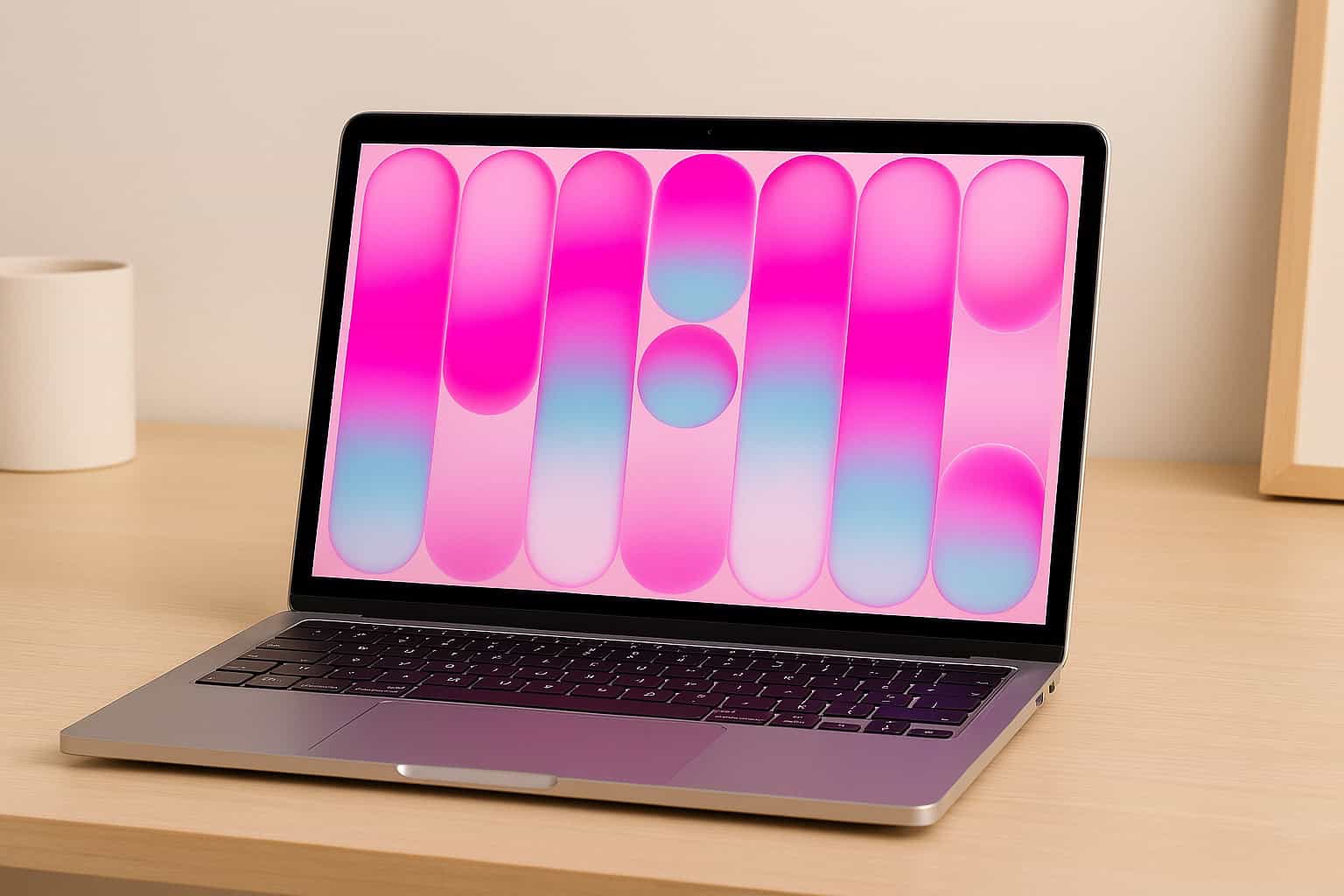
Straightaway, I noticed how surprisingly premium the Apple MacBook Neo feels the moment I lifted it from the box. For a device positioned at the more affordable end of Apple’s lineup, it doesn’t shout “budget” at all. The all‑aluminum shell is cool to the touch, with a gentle satin finish that resists fingerprints better than expected.
In this early MacBook Neo review, the first thing that struck me was its weight distribution. It’s listed at roughly the same weight as a MacBook Air, but it feels a touch denser, almost like a compact slab of metal rather than a featherweight wedge. The colors—Indigo, Blush, Citrus, and Silver—have a soft, muted tone that looks more refined than Apple’s promotional images suggest.
Even the unboxing is textbook Apple: neat, minimal, and friction‑free. The setup experience is as straightforward as any modern Mac, and within minutes I was on the desktop with very little fuss.
Design & Build Quality
The Neo carries the familiar rounded-edge MacBook DNA, but there’s a slightly chunkier profile that reminds you this isn’t a flagship machine. The uniform bezels and the absence of a notch give the screen a clean, symmetrical look.
The physical trackpad is one of the biggest departures from Apple’s usual design. It doesn’t use haptics—this one actually clicks. It feels surprisingly solid and consistent corner to corner, though not as silky as the more expensive Force Touch versions.
Ports are minimal: two USB‑C ports on the left and a headphone jack. Only one USB‑C port supports full USB 3 speeds and external displays, so there’s a bit of muscle memory to develop if you regularly dock to a monitor.

Apple MacBook Neo 13-inch Laptop with A18 Pro chip: Built for AI and Apple Intelligence, Liquid Retina Display, 8GB Unified Memory, 256GB SSD Storage, 1080p...
MacBook Neo Main Features
Colourful MacBook Lineup
Available in Silver, Blush, Citrus or Indigo, each with a matching keyboard and durable aluminium build.
Power for Everyday Tasks
The A18 Pro chip handles daily work smoothly — from photo edits and spreadsheets to note‑summarising and Apple Arcade games.
Up to 16 Hours of Battery Life
All‑day power ideal for students and everyday users, from early starts to late study sessions.
Brilliant 13‑inch Display
A sharp 2408×1506 Liquid Retina screen with 500 nits brightness and support for a billion colours.
Look and Sound Great
Features a 1080p FaceTime HD camera, dual‑mic setup for clear calls, and side‑firing speakers with Spatial Audio.
Built for On‑Device AI
Apple silicon is designed for efficient AI tasks, with Apple Intelligence supporting writing, organising and privacy‑protected productivity.
Fast macOS App Performance
macOS runs everyday apps quickly, including built‑in essentials like FaceTime and Messages.
Great for iPhone Users
Seamless integration with iPhone, including iPhone Mirroring, Universal Clipboard and messaging/FaceTime continuity.
Privacy and Security
Built‑in antivirus, free updates, FileVault encryption and Find My support. Models offer either Lock Key or Touch ID for secure access.
Power Adapter Notice
Comes with a USB‑C cable but no power adapter. A 20W+ USB‑C charger is required; Apple recommends its 20W USB‑C adapter.
Early Performance Impressions
Once I started using it, I noticed how fluid everyday tasks feel. Launching apps, browsing with multiple tabs, streaming video, and doing light photo edits all run smoothly. The A‑series chip inside clearly isn’t chasing pro‑level power, but it feels more capable than the price tag suggests.
Noise is nonexistent—there’s no fan to ramp up—and the machine stays mostly cool during document work or media playback. Push it harder with multitasking or light creative apps and it gets warm on the underside, though never uncomfortably so.
In realistic UK‑home use, like catching up on work at the kitchen table or researching from the sofa, it feels effortless. The limitation shows up when juggling heavier apps: you can feel the 8GB memory ceiling sooner than on an Air, especially when switching between multiple creative tools.
Features Worth Talking About
Practical Features
- Lightweight aluminium chassis that feels sturdier than its class
- Bright and crisp 13‑inch display suitable for daytime use
- Silent operation thanks to fanless design
- Physical trackpad with uniform click response
- Two USB‑C ports that both support charging
Smart or Advanced Features
- Colour‑matched keyboard and casing for a more playful aesthetic
- Support for connecting a 4K external display at 60Hz
- Surprisingly strong side‑firing speakers for its price point
- Smooth macOS optimisation despite using an A‑series chip
- Quick wake‑from‑sleep and fast app switching for everyday tasks
Pros and Cons (Early Impressions)
Pros
– Premium aluminium build that feels far from budget
– Lightweight, compact, and comfortable for long sessions
– Quiet and cool during normal workloads
– Attractive colour options with a soft, understated tone
– Bright and vivid display suitable for indoor and outdoor use
Cons
– Only one full‑speed USB‑C port
– No MagSafe and no keyboard backlighting
– 8GB RAM hits limits with heavy multitasking
– Physical trackpad lacks the refined feel of haptic versions
– Speakers good, but not as full‑bodied as Air/Pro models
How It Compares to Similar Models
Compared with the MacBook Air, the Neo feels more compact and slightly chunkier, with a design that embraces simplicity over premium flair. Performance sits comfortably above many budget Windows laptops and Chromebooks, with noticeably clearer audio and brighter screen quality.
Against other lightweight machines in this price range, it stands out immediately for its aluminium chassis and overall polish. It’s not chasing power users—it’s designed to give newcomers to the Mac ecosystem an accessible entry point without feeling compromised.



Who Will Like the Apple MacBook Neo
- Beginners: Perfect for first‑time Mac users wanting something friendly and reliable.
- Students: Lightweight, silent, and ideal for lectures, essays, and everyday study.
- Small homes or flats: Compact size suits tight living rooms, kitchens, and shared spaces.
- Tech‑focused users: Those who value build quality and OS stability over raw performance.
- Everyday users: Ideal for browsing, video calls, entertainment, and light creative tasks.
- Budget‑conscious buyers: Strong value if you don’t need pro‑level specs.
MacBook Neo Frequently Asked Questions
Is the MacBook Neo good for small spaces?
Yes, its compact footprint fits comfortably on small desks and kitchen tables.
Is it loud?
No—it’s fanless and completely silent in use.
Is it easy to set up?
Very. Setup is quick and intuitive, especially if you already use Apple devices.
Is it heavy?
No, it’s lightweight and easy to carry, similar to a MacBook Air.
Can it handle creative apps?
Light creative tasks, yes. Heavy editing or multitasking can push its limits.
Does it get hot?
It warms during heavier workloads but stays comfortable during normal use.
Final Verdict (Early Impressions)
The Apple MacBook Neo feels like a far more premium machine than its price would imply. The aluminium build, bright display, and smooth day‑to‑day performance make it a genuinely appealing option for students, casual users, and anyone after a simple, reliable laptop.
There are uncertainties: long‑term performance, the limitations of 8GB RAM, and whether the physical trackpad will age well. But early impressions are undeniably positive.
If you want an affordable Mac for daily use, the Neo already feels like an easy recommendation. Power users or creative professionals, however, should wait for full reviews—or consider a MacBook Air or Pro instead.
Overall, it’s a promising start for Apple’s new budget line, and one that feels refreshingly practical and thoughtfully designed.