
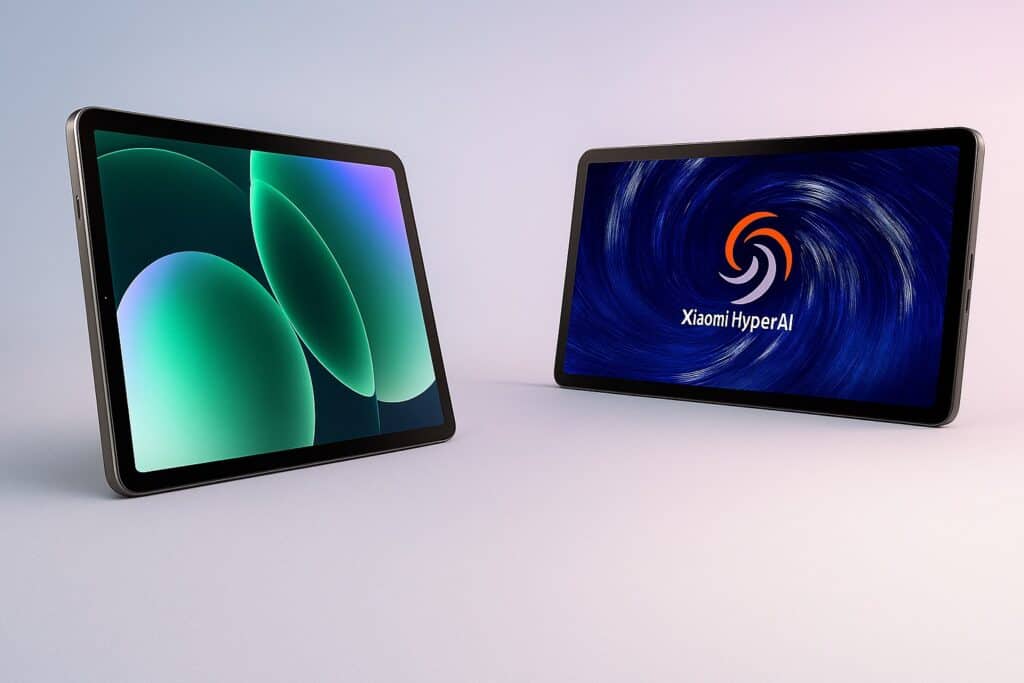
Before You Buy…
Short answer: the Xiaomi Pad 8 is a slim 11.2‑inch Android tablet that pairs a crisp 3.2K/144 Hz display with a large 9,200 mAh battery and Snapdragon 8s Gen 4 power—excellent for reading, browsing, streaming and light productivity if you don’t need OLED or a fingerprint reader.
You’ve likely landed here because you want a tablet that’s better for reading and work than a typical 16:9 slate, lasts all day, and doesn’t cost iPad Pro money. In the UK, 11‑inch tablets with strong screens and long battery life are popular with commuters and students who split their week between home, small flats and campus libraries. The Pad 8’s tall 3:2 display gives more vertical space for documents, split‑screen notes and PDFs, while the 9,200 mAh battery aims to cover long days without hunting for a plug. This review will help you decide if its LCD, software feel (HyperOS 3), and accessory ecosystem suit your work‑and‑play mix—or whether you should consider an OLED rival or a DeX/Stage‑Manager‑style experience elsewhere. This is a Xiaomi Pad 8 review, and we’ll call out fit, trade‑offs and deal‑breakers plainly.
Xiaomi Pad 8 – Overview
Core take: the Pad 8 focuses on a great screen‑to‑price ratio, snappy performance and stamina; the compromises are an LCD (not OLED), no fingerprint reader and software quirks typical of Android tablets.
Xiaomi gives you an 11.2‑inch 3.2K (3200×2136) 3:2 LCD up to 144 Hz, Snapdragon 8s Gen 4, Wi‑Fi 7, quad speakers with Dolby Atmos, 13 MP rear/8 MP front cameras, and a 9,200 mAh battery with 45 W charging in a thin ~5.75–5.8 mm metal body around 485 g. Accessories (sold separately) include the Focus Keyboard and Focus Pen Pro. It runs HyperOS 3 (Android 16‑based) with upgraded split‑screen and workstation modes.
In the market, Pad 8 sits as a mid‑range all‑rounder below Xiaomi’s Pad 8 Pro (which adds faster charging, stronger cameras and a fingerprint sensor), and against devices like Samsung’s Tab “FE” tier and Apple’s iPad (non‑Pro).

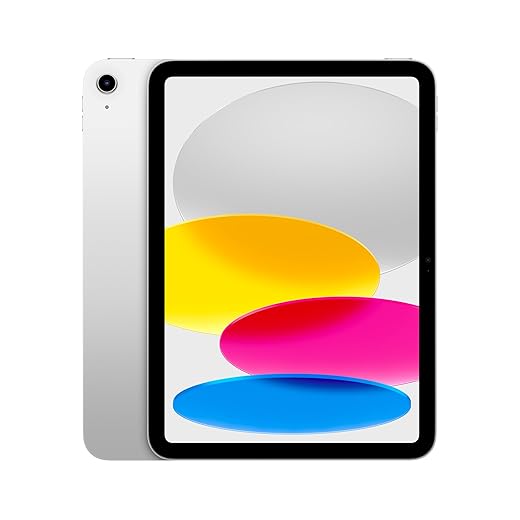
Apple iPad 11-inch: A16 chip, 11-inch Model, Liquid Retina Display, 128GB, Wi-Fi 6, 12MP Front / 12MP Back Camera, Touch ID, All-Day Battery Life — Silver
Xiaomi Pad 8 Specifications
| Brand | Apple |
| Model name | iPad (A16, 2025) |
| Memory storage capacity | 128 GB |
| Screen size | 11 Inches |
| Display resolution maximum | 264 Pixels Per Inch |
| Operating system | iPadOS |
| Colour | Silver |
| RAM memory installed size | 4 GB |
| Battery life | 10 Hours |
| Special feature | Supports Apple Pencil |
Setup & Ease of Use
Setup is straightforward: connect to Wi‑Fi, sign into Google/Xiaomi accounts, and you’re into HyperOS 3. First boot walks you through wallpaper and layout choices, and you can pull keyboard/pen settings later if you buy them. The box omits a charger, so UK buyers will want a USB‑C PD or Xiaomi 45 W unit; the cable supports USB 3.2 Gen 1 speeds for faster file moves if you supply a matching cable. Bluetooth keyboards and mice pair easily; Wi‑Fi 7 routers are supported where available.
Accessibility notes: display scaling and colour modes are broad, and the 3:2 panel helps with larger font layouts. UK flats and uni halls with limited sockets should plan a longer USB‑C cable near the sofa or desk; there’s no bundled plug and the power brick is extra.
Performance in Everyday Use
Everyday performance is brisk, with enough headroom for multi‑window study, web apps, and streaming—all without obvious slowdowns. Reviewers note the 8s Gen 4 provides a clear uplift versus previous mid‑range chips and that battery life is consistently strong for casual use. In practice, that means lecture PDFs, Chrome tabs, Google Docs, and note‑taking with a pen feel fluid, and casual gaming is comfortable at medium‑high settings.
The 3:2 screen suits train tables and small desks; quad speakers keep podcasts clear in a kitchen; and HyperOS split‑screen/workstation modes help when you’re working in a Brighton flat or shared house without a big monitor. Stability and app scaling are improved but not perfect—a common Android‑tablet quirk that still crops up in some apps.
Build Quality & Reliability
Slim metal unibody, ~485 g: sturdy with refined machining; tolerances feel premium at the price. External reviewers call the chassis sleek and robust, with only minor changes from the Pad 7 generation. There’s no formal water resistance. Warranty/returns follow UK retailer policy; Xiaomi advertises multi‑year software support on recent lines, but always check regional pages for specifics.
Ports and buttons are minimal (no 3.5 mm jack), and no fingerprint sensor on this standard model—AI face unlock does the job for most, but it’s not as secure as a fingerprint for payments or parental lock‑downs.
Power, Battery & Energy Use
Expect multi‑day casual use (reading/streaming) or a full day of mixed work without anxiety, thanks to 9,200 mAh and efficient silicon. With a 45 W USB‑C PD charger you can top up quickly between seminars or at the office; leaving the refresh rate adaptive helps endurance. If you’re often in cafés, bring a compact GaN charger—remember it’s not included.
Noise, Heat & Comfort
Runs cool and quiet. There’s no fan; the body stays comfortable under reading, meetings and casual games. Speakers get loud enough for a small living room; in a quiet UK flat at night, 20–30% volume is typically fine.
Value for Money & Price Positioning
Verdict on value: strong. You’re getting a flagship‑class display spec and capable silicon without Pro‑tier prices. UK reports slot it against the iPad (non‑Pro) and Samsung FE‑class tablets; the trade‑offs are LCD contrast, no fingerprint reader and the charger omission. If you prioritise those, budget for accessories or consider step‑up models.






Pros and Cons
Pros
- Excellent screen clarity and smoothness for the money (3.2K/144 Hz).
- Strong everyday performance (apps, browsing, streaming) with good battery life.
- Solid build; light and thin for commuting or sofa use.
- Speakers impress for films/YouTube; Dolby Atmos helps.
- Accessories (keyboard/pen) unlock productive note‑taking and typing.
Cons
- No charger in the box; extra cost for a 45 W plug.
- Software learning curve; some Android apps still scale inconsistently on tablets.
- LCD, not OLED—contrast and deep blacks can’t match premium OLED rivals.
- No fingerprint sensor on standard Pad 8; relies on face unlock.
- Camera quality is serviceable, not a selling point.
Who Should Buy This
- Students & note‑takers: the 3:2 panel, pen support and split‑screen make lectures and PDFs simpler; battery covers long campus days.
- Commuters: thin, light, and the screen is great for reading on the Elizabeth line or a bus into town.
- Home media fans: quad speakers + HDR streaming deliver punchy Netflix/YouTube.
Who Should Not Buy This
- OLED purists who prioritise absolute contrast for films—consider an OLED tablet instead. [
- Biometric‑security sticklers who want a fingerprint reader on‑device—look to the Pad 8 Pro or a rival with biometrics.
- DeX/desktop‑mode dependants who rely on specific PC‑like workflows—HyperOS has workstation tools, but some will prefer Samsung/Apple ecosystems.
Alternatives Worth Considering
- Samsung Galaxy Tab S FE‑class – better desktop mode (DeX) and long update policy; display and performance vary by model/generation.
- Apple iPad 10th‑gen – app quality and accessories ecosystem; different aspect ratio and OS trade‑offs.
Should you buy it? (Summary)
- Buy it if you want an 11‑inch tablet that feels fast, lasts long, and shines for reading/notes/streaming at a sensible price.
- Consider an alternative if you need OLED contrast, desktop‑grade workflows, a fingerprint reader, or tighter iPad/Samsung ecosystem ties.
Final Verdict
For UK readers who value clarity, smoothness and stamina over OLED gloss and niche pro features, the Xiaomi Pad 8 is a confident recommendation. It nails the basics—screen, performance, battery—and its accessories extend it beyond a sofa slate. If you can live without a fingerprint sensor and you’re okay buying a charger, it’s one of the most convincing 11‑inch Android tablets you can get in 2026.
FAQs
Is the Xiaomi Pad 8 good for students?
Yes. The 3:2 3.2K/144 Hz panel is ideal for documents, and HyperOS split‑screen helps with notes plus browser—battery life is reliably strong for a full day of classes.
Does Xiaomi Pad 8 support a stylus and keyboard?
Yes. Xiaomi’s Focus Pen Pro and Focus Keyboard are supported (sold separately).
Does it have a fingerprint scanner?
Not on the standard Pad 8; it uses face unlock. The Pad 8 Pro adds a side fingerprint sensor.
What’s the battery size and charging speed?
9,200 mAh with up to 45 W wired charging (charger not included).
Is the screen OLED?
No—IPS LCD with HDR10/Dolby Vision and up to 144 Hz refresh.
Does it support Wi‑Fi 7?
Yes, when paired with a compatible router; regional availability may vary.
How does it compare with iPad or Samsung FE tablets?
It offers higher resolution and refresh on paper and great endurance; Apple/Samsung rival on app ecosystem, desktop modes, and accessories. Pick based on your workflow.